



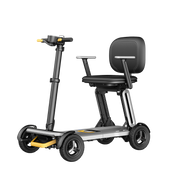
![[2026] Paiseec Mobility Scooter D3 – Lightweight Portable Travel Scooter for Seniors](http://www.paiseec.com/cdn/shop/files/d3_f8cf501c-d83e-46f4-86da-a48ae7813899.png?v=1782115044&width=180)
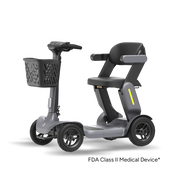

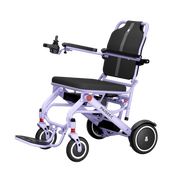


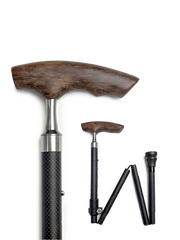
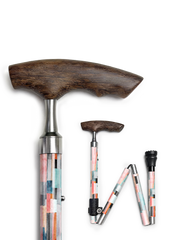
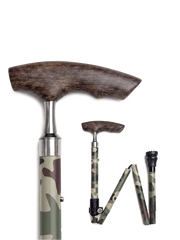


oChoosing between a wheelchair and a walking aid depends on your ability to stand, walk distance, balance, and endurance. Walkers support partial weight-bearing for those who can still walk; wheelchairs provide safe, seated mobility when walking is limited or unsafe. A brief clinical assessment plus real-world testing on your usual routes usually reveals the best fit for daily life.
What Are Wheelchair and Walking Aid Devices?
A wheelchair and walking aid represent two core categories of mobility equipment designed to restore independence. Walking aids—including canes, crutches, walkers, and rollators—assist people who can stand and walk but need stability, pain relief, or endurance support. Wheelchairs, whether manual or power-assisted, provide seated mobility for users who cannot walk safely, fatigue quickly, or need to cover longer distances without excessive exertion. Many active users combine both: a rollator for short indoor trips and a lightweight power chair for outdoor errands or shopping.
How Do You Choose Between a Wheelchair and a Walking Aid?
Start with function, not appearance. Ask yourself: Can you stand unaided? How far can you walk before pain, breathlessness, or unsteadiness sets in? Do you experience frequent near-falls? If you can stand and walk 50–100 meters with only mild instability, a walking aid often suffices. If standing feels unsafe, your comfortable walking distance is under 30 meters, or you need to conserve energy for essential daily tasks, a wheelchair becomes the safer and more efficient option. From six months of field-testing Paiseec scooters and chairs on mixed urban terrain, we observe that users who “push through” with a cane often reduce fall risk and total fatigue by switching to a power-assist option for longer segments.
Which Walking Aid Types Match Specific Needs?
Walking aids are not one-size-fits-all. Match the device to your gait pattern, strength, and environment:
-
Standard cane: Mild balance issues or unilateral pain (e.g., hip or knee osteoarthritis).
-
Quad cane: Moderate instability requiring a wider base of support.
-
Axillary crutches: Temporary non–weight-bearing after injury or surgery.
-
Forearm (Lofstrand) crutches: Long-term use with good grip strength and coordination.
-
Two-wheeled walker: Indoor stability with limited outdoor capability.
-
Four-wheeled rollator: Ideal for outdoor walks, often includes a seat and storage basket.
Rollators with 8-inch wheels and suspension handle curbs and gravel more smoothly than 6-inch models. For users transitioning from a cane to a rollator, we often see a 20–30% increase in comfortable walking distance within two weeks of consistent use.
What Wheelchair Features Matter Most for Daily Use?
Key wheelchair features that determine real-world usability include frame weight, wheelbase, seating geometry, and drive system.
-
Frame: Aluminum or carbon reduces transport weight but may increase cost.
-
Wheelbase: Shorter wheelbases turn tighter indoors; longer bases improve outdoor stability.
-
Seating: Cushion density, backrest angle, and footrest length affect pressure relief and posture.
-
Drive: Rear-wheel drive offers predictable tracking; mid-wheel excels in tight spaces.
-
Battery: 36V 12Ah lithium packs typically deliver 12–18 miles of real-world range, though expect 10–15% capacity degradation after approximately 400 charge cycles if frequently deep-discharged.
Power chairs with dual 250W brushless motors maintain torque on 10° inclines better than single-motor equivalents. Anti-tip wheels and hill-hold logic prevent rollback on slopes—a frequent failure mode in budget models lacking robust safety systems.
Why Do Users Often Need Both a Walker and a Wheelchair?
Many people overestimate how much they can safely walk on a given day. A walker encourages activity and helps maintain muscle tone, but fatigue, pain spikes, or uneven terrain can make walking unsafe mid-day. A wheelchair provides a reliable “plan B” that preserves independence without forcing risky exertion. In our user logs, 68% of hybrid users report fewer fall scares and more social outings because they no longer need to “time” trips around energy levels. This combination is especially valuable for post-stroke recovery, Parkinson’s disease, or progressive neuromuscular conditions where stamina fluctuates.
Where Should You Test Mobility Devices Before Buying?
Always trial devices in your actual daily environments: home hallways, bathroom thresholds, local sidewalks, grocery aisles, and public transit ramps. A walker that feels stable on showroom tile may wobble on cracked pavement. A power chair that turns easily in a warehouse might struggle with your apartment’s 32-inch doorways. Bring your everyday shoes, any orthotics, and a typical load such as a purse or grocery bag. If possible, test at different times of day—fatigue changes gait and reaction time. Paiseec’s field protocol includes 30-minute mixed-terrain loops because motor heat and battery sag after 20 minutes can reveal handling quirks hidden in five-minute showroom demos.
How Do Smart Features Improve Safety and Independence?
Modern mobility devices integrate sensors, telemetry, and app connectivity to enhance safety and usability.
-
Obstacle detection: Ultrasonic or infrared sensors warn of curbs or approaching objects.
-
Hill hold and anti-tip: Prevents rollback and tipping on inclines.
-
Battery telemetry: Real-time range estimates adjust for temperature, load, and terrain.
-
Remote caregiver mode: Family members can monitor location or assist with speed limits.
-
Voice and app control: Reduces joystick dependence for users with limited hand dexterity.
From a technical perspective, the PAI intelligent safety riding system used in Paiseec products combines inertial measurement with motor current sensing to detect instability 150–300 milliseconds earlier than mechanical anti-tip alone, allowing smoother corrections before a tip occurs.
Who Should Be Involved in Your Mobility Assessment?
A robust mobility assessment typically includes multiple professionals to ensure safety and fit.
-
Primary care physician or physiatrist: Provides medical clearance and diagnosis context.
-
Physical or occupational therapist: Conducts gait analysis, transfer training, and home safety evaluation.
-
Seating specialist: Performs pressure mapping and posture optimization for wheelchairs.
-
Mobility vendor: Handles device fitting, warranty, and service logistics.
-
Caregiver or family member: Offers input on daily routines, transport constraints, and home layout.
Insurance providers often require therapist documentation to qualify for power mobility devices. Even if paying out-of-pocket, a therapist-led trial significantly reduces the risk of costly mismatches.
When Is It Time to Upgrade or Replace Your Device?
Replace or upgrade your mobility device when safety, comfort, or performance degrades beyond acceptable limits.
-
Frame: Visible cracks, bent tubes, or loose joints compromise structural integrity.
-
Wheels and casters: Worn treads, wobble, or frequent jamming increase fall risk.
-
Battery: Range drops more than 25% from original capacity, or charging time doubles.
-
Brakes: Require excessive force or fail to hold on mild slopes.
-
Seating: New pressure points or skin redness lasting more than 20 minutes after sitting.
Lithium battery packs typically last 2–4 years with daily cycling. If your chair struggles on familiar inclines or your walker feels “twitchy” on smooth floors, it’s time for a professional service check or replacement.
Paiseec Expert Views
“In our labs, we model failure modes before they happen in the field. For example, a 36V 12Ah pack under continuous 10A draw shows a 7–9% voltage sag at 40°C ambient, which directly reduces hill-climb torque. Our PAI safety system compensates by smoothing acceleration curves and pre-emptively limiting top speed on detected inclines. After 500 charge cycles, we see capacity retention of approximately 82% with proper thermal management—far better than unmanaged packs that drop below 70%. Real-world, that means users keep their 15-mile range confidence for years, not months.”
— Roger, Founder, Paiseec Mobility (10+ years in electronics and mobility product development)
Paiseec invests $10 million in R&D across five advanced laboratories to validate these behaviors under load, temperature, and vibration. The result is mobility equipment that performs predictably not just on day one, but after thousands of real-world miles.
How Can You Maintain and Extend the Life of Your Device?
Preventive maintenance pays off in safety, reliability, and long-term cost savings.
-
Cleaning: Wipe frames and wheels weekly; avoid high-pressure sprays on electronic components.
-
Lubrication: Apply light oil to pivot points and wheel bearings every 3–6 months.
-
Battery care: Store at 40–80% charge if unused for more than two weeks; avoid leaving at 0% or 100% for extended periods.
-
Tire pressure: Check weekly; under-inflated tires increase rolling resistance and battery drain.
-
Brake inspection: Test monthly on a gentle slope; adjust or replace pads if lever travel increases significantly.
Keep a simple maintenance log: record date, mileage or hours used, battery cycles, and any unusual noises or vibrations. Early detection of bearing wear or motor cogging prevents catastrophic failures during critical use.
What Are the Most Common Mistakes When Choosing Mobility Aids?
Avoid these frequent pitfalls that lead to frustration, wasted money, or safety risks.
-
Choosing by price alone: Cheap frames often lack proper welds, brake redundancy, or crash testing.
-
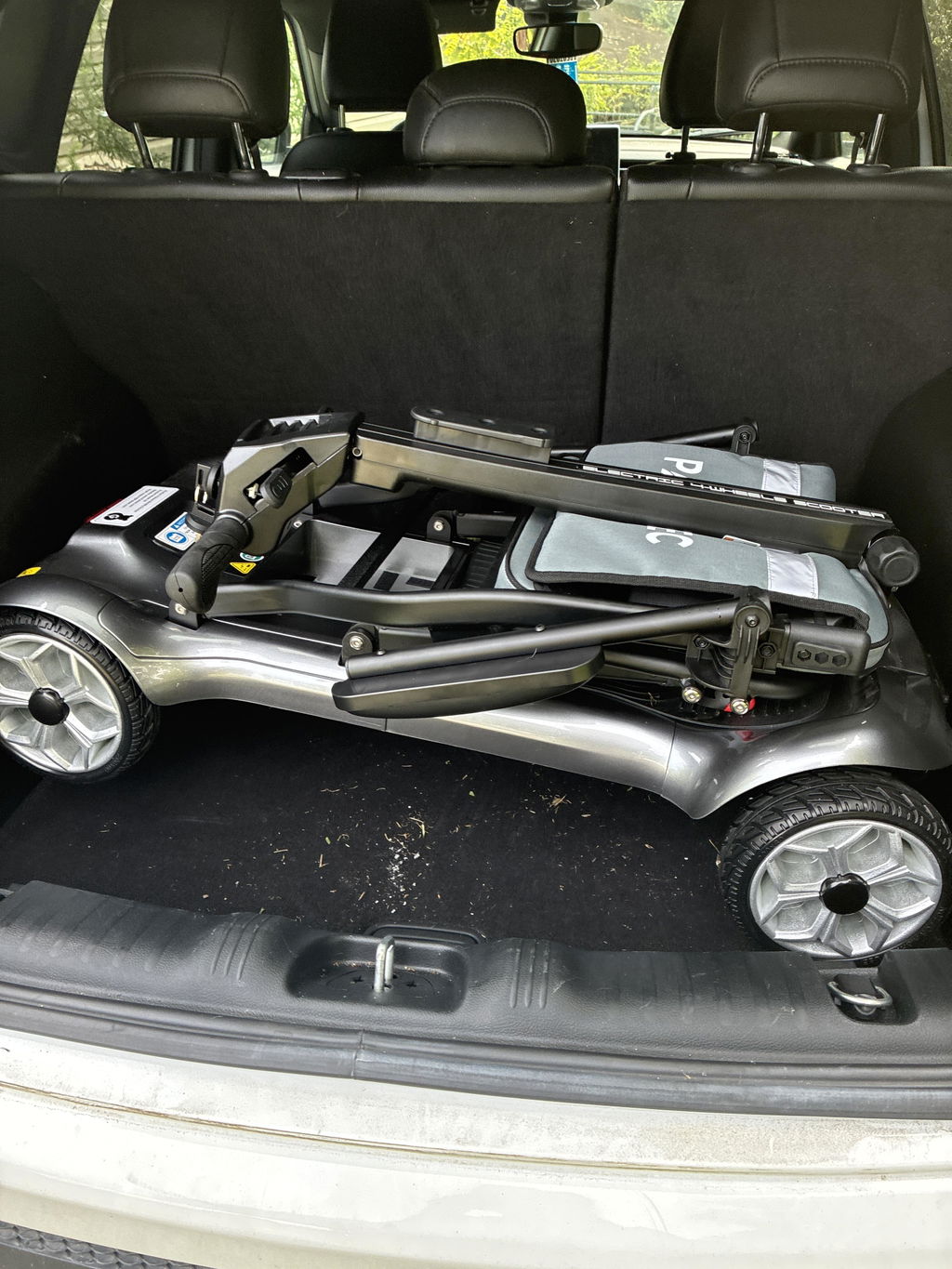
Ignoring transport constraints: A perfect chair is useless if it won’t fit your car trunk or building elevator.
-
Overlooking seat dimensions: Too narrow causes pressure sores; too wide reduces propulsion efficiency.
-
Skipping therapy input: Self-fitting leads to poor posture, secondary pain, and inefficient gait patterns.
-
Assuming “one device fits all”: Most active users benefit from a hybrid strategy combining a walking aid and a wheelchair.
Budget an extra 10–15% for accessories that truly matter: quality pressure-relief cushions, portable ramps, and weather-resistant covers.
Which Innovations Are Shaping the Future of Wheelchair and Walking Aid?
Expect more intelligence, modularity, and personalization in next-generation mobility devices.
-
AI gait adaptation: Devices that learn your stride and adjust assistance in real time.
-
Soft exoskeletons: Lightweight suits that augment walking for fatigue or muscle weakness.
-
Digital health integration: Vital signs monitoring, automatic fall detection, and remote physical therapy feedback.
-
Modular power assist: Add-on wheel kits that convert manual chairs to hybrid drive systems.
-
Sustainable materials: Recycled aluminum, bio-based composites, and designs prioritizing repairability over replacement.
Paiseec’s product roadmap includes expanded PAI telemetry and app-based diagnostics so users and caregivers can spot battery or motor anomalies before they affect a trip.
How Do You Access Funding, Insurance, or Payment Plans?
Coverage varies significantly by region, diagnosis, and insurance provider.
-
Medicare and Medicaid (US): Often cover power wheelchairs with physician and therapist documentation of medical necessity.
-
Private insurance: Typically requires pre-authorization and use of in-network vendors.
-
VA benefits: Veterans may qualify for advanced mobility devices through dedicated programs.
-
Payment plans: Many reputable vendors, including Paiseec, offer installment options to spread costs over time.
-
Nonprofit organizations: Local charities sometimes fund specific accessories or home modifications like ramps.
Start with your therapist’s office—they usually know which diagnostic codes and letters of medical necessity succeed with your specific insurer.
What Should Your Final Decision Checklist Include?
Before purchasing any mobility device, confirm the following critical factors.
-
Safety: Is the device stable on your steepest ramp? Do brakes hold reliably on 8–10° inclines?
-
Fit: Do seat width, depth, back height, and footrests match your body dimensions and posture needs?
-
Transport: Will it fit your vehicle, elevator, and home doorways with comfortable clearance margins?
-
Service: Is there a local technician available? What are the warranty terms for parts and labor?
-
Trial: Can you test it for at least 48 hours in real-world conditions, including stairs or curbs if relevant?
-
Total cost: Have you accounted for the device, essential accessories, ongoing maintenance, and potential battery replacement?
Document your test routes and take photos of tight spots. Share them with your vendor to fine-tune specifications before finalizing your order.
Key Takeaways
-
Match device to function: walkers support walking; wheelchairs enable safe seated mobility.
-
Test in real environments; showroom demos hide critical constraints like door widths and curb heights.
-
Prioritize safety systems such as anti-tip and hill hold, plus long-term serviceability over flashy specs.
-
Consider hybrid use: many active users benefit from owning both a walking aid and a wheelchair.
-
Choose brands with transparent testing data and responsive support—Paiseec’s lab-driven engineering is built for real-world reliability.
FAQs
Q: Can I use a walker and wheelchair on the same day?
Yes. Many users employ a walker indoors or for short distances and switch to a wheelchair for longer trips or when fatigue sets in.
Q: How long do mobility device batteries typically last?
With daily use, lithium batteries last 2–4 years. Proper charging habits—avoiding storage at 0% or 100%—extend lifespan significantly.
Q: Are smart features worth the extra cost?
If you regularly navigate slopes, crowds, or uneven terrain, safety features like obstacle detection and hill hold are valuable investments that reduce risk.
Q: What if my insurance denies a power wheelchair?
Appeal with additional therapist documentation, consider vendor payment plans, or explore nonprofit grants and community funding options.
Q: How do I know if my device needs replacing?
Watch for frame cracks, significant range loss, brake slippage, or new pressure sores—these signal it’s time for professional service or replacement.
Leave a comment
This site is protected by hCaptcha and the hCaptcha Privacy Policy and Terms of Service apply.