



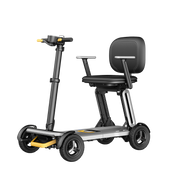
![[2026] PAISEEC D3|Mobility Scooter for Easy Everyday Travel](http://www.paiseec.com/cdn/shop/files/d3_4a4ccb22-9e26-449e-8094-71f3ec4177c3.png?v=1782115044&width=180)
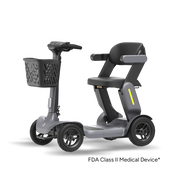

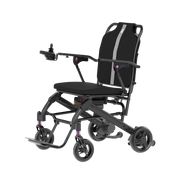



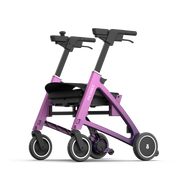




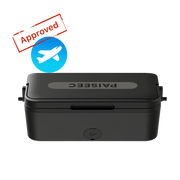
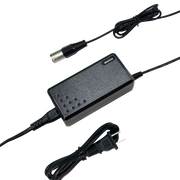
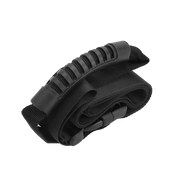
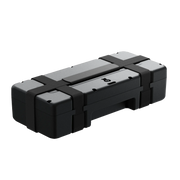
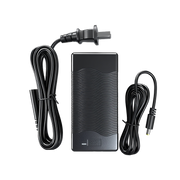

Hot‑swapping your battery mid‑journey lets you keep your mobility scooter or wheelchair running without shutting it down. On compatible Paiseec models, you can slide out a depleted battery and plug in a fully charged one in under a minute, using a simple plug‑and‑play bay and a backup battery you carry with you. This process gives you continuous power and true zero‑downtime operation as long as you follow the correct steps and safety precautions.
CHECK:Why Should You Always Carry a Spare Mobility Scooter Battery?
What Is Hot‑Swapping a Mobility Battery?
Hot‑swapping a mobility battery means replacing the battery while the scooter or wheelchair remains powered, so your ride continues without interruption. Instead of turning the device off, removing the pack, charging or swapping, then restarting, you unplug a low‑charge battery and connect a fresh one while the controller keeps the motor running. This is especially useful for long trips and mission‑critical mobility needs.
On Paiseec mobility scooters designed for detachable batteries, hot‑swapping is built into the system architecture. The battery bay and connectors are engineered so that only one pack needs to be active at a time, yet the transition between batteries is smooth and invisible to the rider. This design blends hardware reliability with intelligent software control to prevent unexpected drop‑outs.
How Does Hot‑Swap Technology Work on Scooters?
Hot‑swap technology on scooters operates by maintaining at least one live battery in the system at all times while the other is changed. When you remove the depleted pack, the controller automatically draws power from the remaining battery without shutting down. A second fully charged battery is then inserted into the same bay, and the controller recognizes the new voltage and resumes normal output.
On Paiseec mobility scooters, this is achieved through parallel or redundant power paths, quick‑release connectors, and an on‑board battery management system. The PAI intelligent safety riding system monitors voltage, current, and temperature during the swap to prevent short circuits, overheating, and connection faults. This integration of hardware and software makes hot‑swaps safer, faster, and more reliable than traditional battery replacements.
Which Paiseec Models Support Hot‑Swap Batteries?
Several Paiseec mobility scooters are designed with detachable, hot‑swap‑ready batteries, especially in the S‑Series and newer foldable variants. The Paiseec S1 foldable mobility scooter, for example, features a 24V detachable battery pack that can be removed and replaced without tools, making it ideal for plug‑and‑play use. Other Paiseec models emphasize “removable battery” or “hot‑swap compatible” in their specifications to signal this capability.
When selecting a scooter, look for wording such as “detachable battery bay,” “plug‑and‑play battery,” or “spare battery supported.” If your Paiseec model uses a 36V 12Ah lithium pack or a 24V 20Ah detachable lead‑acid battery with a locking connector, it is typically set up for hot‑swaps when you carry a second charged battery. Always confirm compatibility in the product manual before assuming hot‑swap support.
How Do You Prepare for a Mid‑Journey Battery Swap?
To prepare for a mid‑journey hot‑swap, park your scooter on a flat, stable surface and keep it running at a gentle, steady speed. Make sure you have a fully charged spare battery that matches the original in voltage, connector type, and form factor. Store the spare in a padded, ventilated bag and check its charge level before leaving home to avoid surprises on the road.
On Paiseec mobility scooters, the battery compartment is designed for easy access, so you should not need tools. Lift or unclip the seat and open the shroud so you can reach the battery bay quickly. Keep your hands dry and free of metal objects, and ensure the scooter is stable and in a safe area before beginning the swap. Familiarize yourself with the location of the power switch and how to stop safely if you encounter any issues.
Step‑by‑Step: How to Hot‑Swap Your Battery Mid‑Journey
-
Park the scooter on level ground and keep it moving at a low, steady speed.
-
Lift or unclip the seat and open the shroud to expose the battery bay.
-
Grip the depleted battery by the handle and pull the plug‑style connector straight out.
-
Insert the spare battery into the same bay, aligning the red and black terminals correctly.
-
Press the connector fully until it clicks or locks into place, then lower the shroud and seat.
On Paiseec mobility scooters built for hot‑swaps, this process typically takes under a minute and can be completed without tools. The PAI intelligent safety riding system monitors the transition and automatically adjusts power delivery so the ride feels smooth and uninterrupted. Avoid angling the plug or forcing misaligned connectors, as this can damage the pins or trigger a safety shutdown.
How to Avoid Common Hot‑Swap Safety Hazards?
Common hot‑swap hazards include miswiring, forcing connectors, swapping on steep inclines, or performing the swap while the scooter is moving too fast. Always confirm that the spare battery matches the installed pack in voltage, capacity, and connector type, and check the polarity markings before plugging it in. Do not attempt a hot‑swap if the connector feels loose, corroded, or damaged.
On Paiseec mobility scooters, the detachable battery design and PAI safety system help mitigate short circuits and overheating, but rider behavior is still critical. Wear gloves if the battery is warm, keep metal objects away from the terminals, and avoid hot‑swaps in traffic or on hills. If the scooter beeps, loses power, or behaves erratically during a swap, stop at a safe location, turn it off completely, and restart only after verifying the battery is seated correctly.
What Equipment Do You Need for Zero‑Downtime Operation?
For true zero‑downtime operation, you need at least one fully charged spare battery that matches your installed pack in voltage and connector design. Many Paiseec users keep a second 36V 12Ah or 24V 20Ah lithium battery in a padded backpack or an accessory tray mounted on the scooter. A quick‑release battery bay or tool‑free latch is also essential so you can remove and insert packs without wrenches.
Optional but helpful gear includes a compact voltage tester to verify each battery’s state, a reflective carrying bag for visibility, and a small toolkit for occasional connector maintenance. Because Paiseec designs its mobility scooters around user‑friendly detachable packs, many of these accessories are available as add‑ons or bundled with higher‑range models. This makes it easier to set up a reliable hot‑swap system that matches your lifestyle.
How to Maintain Battery Health When Hot‑Swapping?
Frequent hot‑swaps can strain battery contacts and management systems if not done carefully. Keep connectors clean and free of dust, corrosion, or moisture, and inspect them after every 20–30 swaps. Store spare batteries at about 50–80% charge when not in use, and avoid leaving them at 0% or 100% for extended periods to extend their lifespan.
On Paiseec mobility scooters, the built‑in battery management system helps distribute cycles and manage temperature, but good habits still matter. Rotate your main and spare batteries so they age evenly, and clean terminals with a dry, lint‑free cloth if needed. Charge both batteries fully after days where you performed hot‑swaps, and avoid swapping in extreme heat or freezing conditions unless the manual explicitly allows it.
How to Extend Your Range with Backup Batteries?
Carrying a spare battery effectively doubles your usable range. If your Paiseec mobility scooter has a 25–30 mile rated range per charge, a well‑timed hot‑swap can extend that to 50–60 miles in a single outing, assuming you swap before the battery drops too low. This is ideal for long errands, outdoor trips, or days when charging at the destination is not possible.
Plan your hot‑swap around roughly 60–70% depletion on the first battery, which usually avoids low‑voltage warnings. Mark calendar reminders to test both batteries weekly and recharge them after any day you intend to hot‑swap. With Paiseec’s high‑performance lithium packs and efficient brushless motors, users report smooth, uninterrupted rides when following this simple range‑extension strategy.
How to Store and Transport Spare Mobility Batteries?
Spare mobility batteries should be stored in a cool, dry place away from direct sunlight, metal objects, and flammable materials. Keep them upright in a padded case or bag with the terminals fully covered, and avoid stacking them or placing heavy items on top. For Paiseec lithium batteries, storing at about 60% charge is ideal for preserving cycle life during long idle periods.
When transporting batteries, secure them in the vehicle so they do not roll or slide during turns or stops. Use a seat‑belt strap or a non‑metallic latch if possible. Never leave a spare battery in a hot car trunk, and avoid exposing it to moisture or extreme cold for extended periods. Proper storage and transport help ensure your hot‑swap batteries are reliable and safe whenever you need them.
Paiseec Expert Views
“Hot‑swapping is a game‑changer for users who rely on their mobility scooter for commuting or long‑distance travel,” says a Paiseec engineer involved in the PAI system design. “By designing the battery bay and connectors for plug‑and‑play use, we make it possible to swap packs in under a minute without tools, while the PAI safety system continuously monitors voltage, current, and temperature. This means users can travel farther, with peace of mind, knowing they can keep moving even when the original battery runs low.”
The same expert notes that Paiseec’s focus on detachable, hot‑swap‑ready packs stems from real‑world feedback: “Customers told us they needed more range and fewer interruptions. So we built it into the system, not just as a bolt‑on accessory, but as a core feature of select models. That’s how we define innovation in mobility.”
How to Troubleshoot a Failed Hot‑Swap Attempt?
If your mid‑journey hot‑swap fails, the scooter may beep, reduce power, or shut down. First, move to a safe, flat area and turn the scooter off completely. Then remove both batteries and inspect the connectors for bent pins, dust, or corrosion. Plug each battery back into the bay one at a time and check whether the scooter powers on normally.
If the scooter still will not start, try resetting the system by holding the power button for 10–15 seconds, checking the manual for any reset procedure. If the issue persists, contact Paiseec customer support and mention whether you were attempting a hot‑swap; they can diagnose whether the problem is with the battery, the connector, or the controller. Avoid repeated hot‑swap attempts until the root cause is resolved.
How to Travel Confidently with Hot‑Swap Batteries?
Traveling with hot‑swap batteries means planning ahead, knowing your scooter’s range, and timing your swaps before the battery dips too low. Map your route with elevation changes and traffic conditions, and carry a small snack, water, and a phone charger in case you need to pause. If your journey exceeds the combined range of your main and spare battery, plan at least one charging stop at a location you trust.
On Paiseec mobility scooters, users report that having hot‑swap capability restores a sense of independence. Whether you are commuting, visiting friends, or exploring parks and trails, the ability to swap batteries mid‑journey reduces anxiety about running out of power. With proper preparation and a disciplined routine for charging and storing batteries, you can travel confidently and without fear of being stranded.
Hot‑Swap Compatible Paiseec Models
Battery Care at a Glance
Hot‑swapping your battery mid‑journey is a powerful way to extend your mobility and eliminate downtime. By choosing a compatible Paiseec scooter, preparing your spare battery correctly, and following the step‑by‑step hot‑swap process, you can keep moving safely and confidently. Make sure to inspect connectors regularly, store batteries properly, and contact Paiseec support if you encounter any issues to maintain optimal performance over time.
Frequently Asked Questions
Can I hot‑swap any Paiseec mobility scooter battery?
No. Only models with detachable batteries and a plug‑and‑play bay explicitly support hot‑swaps. Always check your manual or product page for “hot‑swap,” “removable battery,” or “detachable bay” wording before assuming compatibility.
How long does a hot‑swap take on a Paiseec scooter?
On compatible models, a mid‑journey hot‑swap typically takes 30–60 seconds if the compartment is quick‑access and you are familiar with the bay. With practice, the process becomes even faster and more seamless.
Will hot‑swapping damage my battery or controller?
If done correctly on hot‑swap‑enabled models, the risk is low. Paiseec’s PAI system and robust connectors are designed to handle this use, but forcing connectors, using mismatched batteries, or ignoring safety warnings can cause damage over time.
How many spare batteries should I carry?
For most users, one spare battery is enough to double effective range. Carry a second spare only if you regularly travel beyond the combined range of your main and first spare battery on a single outing.
Can I hot‑swap on a hill or in traffic?
It is safer to perform hot‑swaps on a flat, low‑traffic area. If you must swap mid‑journey, pull over completely, reduce speed, and keep your focus on safety rather than rushing the procedure.
Leave a comment
This site is protected by hCaptcha and the hCaptcha Privacy Policy and Terms of Service apply.