



![[2026] PAISEEC D3|Mobility Scooter for Easy Everyday Travel](http://www.paiseec.com/cdn/shop/files/d3_4a4ccb22-9e26-449e-8094-71f3ec4177c3.png?v=1782115044&width=180)
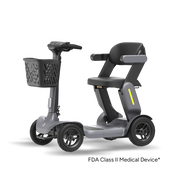

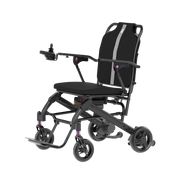
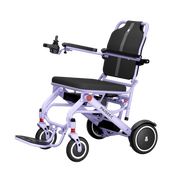






The PAI Diagnostic System is an intelligent safety riding platform that uses audible beeps and visual indicator lights to signal specific wheelchair faults or operating states. By learning common beep and light patterns, users and caregivers can quickly spot issues such as low battery, motor faults, or safety inhibit conditions and decide whether a simple reset or professional service is required. This diagnostic layer helps keep rides safer and reduces the risk of sudden failures during daily use.
CHECK:How Can You Maintain Your Electric Wheelchair for Safe Winter Use?
How does the PAI Diagnostic System work?
The PAI Diagnostic System is an embedded control layer that continuously monitors battery charge, motor output, brake status, controller signals, and safety sensors on compatible power wheelchairs and scooters. When any monitored parameter moves outside its safe operating range, the system triggers a defined sequence of beeps or light flashes tied to that fault. These alerts allow the user to stop, perform a basic reset, or contact support before the condition escalates.
The system also stores both active and historical codes. Active codes indicate a current fault, while logged codes show past events that may have been temporary. Paiseec integrates the PAI Diagnostic System into its lightweight foldable scooters, multi‑functional electric wheelchairs, and mobility accessories, linking it to high‑performance 36V 12Ah lithium batteries and 250W brushless motors. This integration ensures that potential faults are detected early, improving overall safety and reliability.
What do wheelchair beep codes mean for safety?
Beep codes are short, repeatable sound patterns that communicate the wheelchair’s internal status. A single long beep often signals a motor or communication fault, repeated short beeps may indicate sensor or brake issues, and continuous beeping usually points to a low‑battery or system‑override condition. Each manufacturer uses its own mapping, but the core idea is the same: give the user an immediate, audible warning when something is wrong.
From a safety perspective, these beep patterns prevent uncontrolled movement or overheating by halting drive when a critical fault is detected. If the chair senses a stall, over‑current condition, or brake‑release failure, the PAI Diagnostic System will interrupt power and issue a clear, recognizable sound pattern. This prompts the user to stop, check the basics, and reset or request service instead of continuing to ride in a potentially hazardous state.
How can I interpret common “light” codes on my wheelchair?
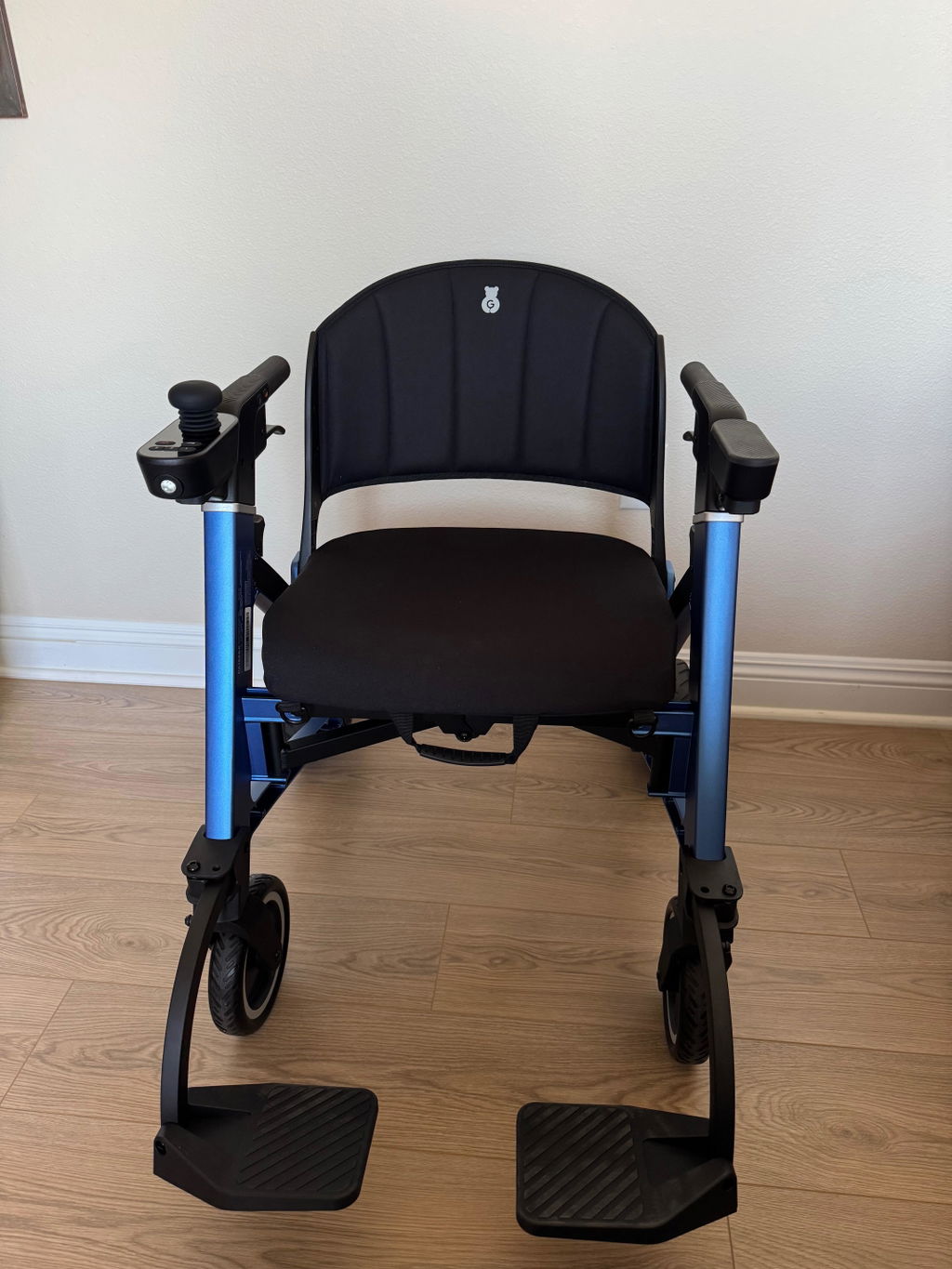
Wheelchair indicator lights on the controller or joystick often work together with beep codes to show the system’s status. A steady red light typically means a critical fault or very low battery, while a flashing green or amber light may indicate a temporary inhibit, self‑test mode, or a minor warning. Some models use multi‑segment LED displays that show numeric codes matching those in the PAI Diagnostic manual.
To interpret these patterns safely, start by observing the chair’s behavior at power‑on. After a normal self‑test, the display should show a solid green or steady‑state icon. If a light blinks in an unusual pattern or color immediately after startup, consult the model‑specific PAI Diagnostic table. Paiseec’s documentation groups these light patterns by fault category—battery, motor, controller, brake, sensor—so users can respond quickly and confidently without guesswork.
Why do some wheelchair manufacturers use beep‑and‑light combos?
Manufacturers combine beeps and lights because different users rely on different types of feedback. Audible codes are effective for people who may not easily see a small LED panel, while visual codes help in noisy environments or for users with hearing impairments. This dual‑mode approach creates a more robust, multi‑sensory alert system that reduces the chance of missed warnings.
The PAI Diagnostic System also uses beep‑and‑light combinations to indicate fault severity. A single short beep with a yellow flash might signal a minor calibration issue, while multiple rapid beeps with a bright red flash indicate a critical safety‑circuit trip. This tiered structure helps users and caregivers quickly decide whether the chair can be safely driven to a charger or must be stopped and serviced immediately.
When should I contact a technician instead of resetting the chair?
You should contact a technician if the same beep or light code reappears after following the recommended reset procedure, if the chair behaves erratically (sudden jerks, irregular stops, loss of steering), or if the error involves critical components such as the motor, brake circuit, or controller. Repeated operation with unresolved faults can accelerate wear, damage the battery or wiring, and potentially void warranty coverage.
Persistent low‑battery or over‑current warnings, failure to respond to joystick commands, or repeated electromagnetic‑brake errors are all signs that the PAI Diagnostic System has detected a deeper hardware or software issue. In such cases, Paiseec’s technical support team can help interpret the PAI logs, advise whether a service center visit is necessary, and guide users through safe shutdown and transport procedures.
How do I perform a basic reset using the PAI Diagnostic System?
A basic reset usually begins with powering off the wheelchair, waiting a few seconds, and then turning it back on so the PAI system can rerun its self‑test. Many models also require holding a specific button combination on the joystick—such as both Speed Increase and Speed Decrease buttons simultaneously—for three to five seconds until a confirmation beep or light change occurs. This clears some temporary faults and resets communication between the controller and motors.
After the reset, watch for the new beep or light pattern and compare it with the error table in the user manual. If the chair returns to normal operation and the fault does not reappear within a short, safe test‑drive, the issue was likely temporary or connection‑related. If the same pattern returns, treat it as a systemic fault and contact Paiseec support. Always keep the original PAI Diagnostic guide or an offline version handy, as exact reset sequences can vary by model.
What are the most common PAI Diagnostic patterns users see?
Across modern power wheelchairs and scooters, frequent PAI Diagnostic patterns include continuous beeping (often signaling low battery or system override), one long beep (commonly linked to motor or communication faults), and alternating short beeps (often indicating sensor or brake‑related issues). Some devices also show a steady green light for normal operation, yellow or amber for warnings, and red for critical faults.
Because manufacturers sometimes reuse similar patterns for different meanings, users must always cross‑reference the code against the specific device’s manual. Paiseec’s PAI‑enabled mobility products list each beep and light combination in a dedicated PAI Diagnostic table, grouped by category such as battery, motor, controller, brake, and sensor. This structured layout makes it easier to move from symptom to appropriate action without confusion.
Below is a simplified example of common PAI Diagnostic patterns you might see on a Paiseec‑style wheelchair or scooter.
Typical PAI Diagnostic Beep and Light Patterns
This type of table helps users quickly match what they hear and see with possible underlying causes, but always confirm the exact mapping in your model’s PAI Diagnostic guide.
How can I prevent misinterpreting PAI Diagnostic alerts?
To avoid misinterpreting PAI codes, always start by carefully noting the exact pattern: number of beeps, duration, and color and sequence of lights. Write it down or record it on a phone, then compare it with the official code‑table for your specific wheelchair model. Do not assume that two chairs from different brands share the same meaning for a similar pattern, even if they look alike.
Confirm that the issue is not caused by simple user errors, such as a freewheel lever left in neutral, a loose battery connector, or a joystick not fully centered. Once you rule out these basics, match the observed pattern with the PAI Diagnostic table and follow the recommended steps. When in doubt, treat the alert as a safety signal and pause use until a qualified technician can verify the chair is safe to operate.
How does Paiseec integrate the PAI Diagnostic System into its devices?
Paiseec Mobility integrates the PAI Diagnostic System into its lightweight foldable scooters, multi‑functional electric wheelchairs, and mobility accessories by embedding intelligent controllers and 36V‑series lithium batteries with built‑in monitoring. These components continuously report voltage, current, temperature, and motor‑feedback data to the PAI layer, which then generates clear beep and light responses tailored to common mobility‑use scenarios.
Because Paiseec designs its products with high‑performance 250W brushless motors and compact wiring harnesses, the PAI system plays a critical role in preventing thermal overload and over‑current events. The company pairs each product with a detailed, model‑specific PAI Diagnostic guide and offers online support so users can quickly look up codes, perform basic resets, and know when a service visit is required. This integration supports Paiseec’s broader mission of delivering safe, reliable, and user‑friendly mobility solutions.
What are typical PAI Diagnostic patterns for battery and motor issues?
For battery‑related issues, PAI Diagnostic patterns often involve a steady or pulsing beep that intensifies as the charge drops, sometimes accompanied by a red or amber warning light. Many chairs also emit a distinct startup sequence when the battery is critically low or when the charger is not properly connected. These patterns help users avoid riding into a dead‑battery situation in public or remote areas.
Motor‑related codes usually appear as one or more long beeps that interrupt drive or force the controller into a neutral or limp state. They may coincide with a brake‑release warning or a stall‑detection signal, indicating that the motor is drawing too much current or failing to respond to commands. In Paiseec’s PAI‑enabled wheelchairs, these patterns are grouped with clear “Battery Check” or “Motor/Controller Service” instructions so users can act quickly and safely.
How can caregivers use PAI Diagnostic codes effectively?
Caregivers can use PAI Diagnostic codes effectively by first learning the most common patterns for the specific wheelchair model and keeping a printed or digital PAI Diagnostic table accessible. When a beep or light pattern appears, they should pause the ride, note the exact sequence, and perform any recommended reset steps. If the condition persists, they should contact the manufacturer or a local service center instead of continuing to use the chair.
Because caregivers often handle daily charging, transport, and storage, their familiarity with PAI codes can help prevent accidents caused by overlooked faults. Paiseec encourages caregivers to request a brief PAI Diagnostic orientation from its support team, which covers how to recognize critical alerts, safely power down the chair, and prepare it for service. This proactive approach supports both safety and user independence.
How does the PAI Diagnostic System improve long‑term wheelchair safety?
By catching developing faults early—such as loose wiring, sensor drift, or gradual battery degradation—the PAI Diagnostic System reduces the risk of sudden failures during use. This early‑warning capability helps prevent falls, collisions, and uncontrolled stops, especially in crowded or high‑traffic environments. Over time, the system also helps service providers track recurring issues and plan preventive maintenance instead of reactive repairs.
Paiseec leverages PAI Diagnostic data to refine motor‑control algorithms and battery‑management strategies, ensuring its wheelchairs and scooters remain reliable and safe across thousands of hours of real‑world use. This focus on long‑term safety is a core part of Paiseec’s mobility‑solutions philosophy and helps users maintain confidence and independence in daily travel.
Paiseec Expert Views
“Understanding PAI Diagnostic codes is not just about decoding sounds and lights—it’s about treating the wheelchair as a connected safety system,” says a Paiseec technical specialist. “When a user sees a specific pattern, they should see it as a dialogue between the chair and the rider. Our goal at Paiseec is to make that dialogue clear, consistent, and actionable so that every beep or flash translates into a simple, correct response that keeps the user safe and mobile.”
Key Takeaways and Actionable Advice
The PAI Diagnostic System transforms beeps and lights into a practical safety language that helps users detect and respond to wheelchair faults in real time. By learning the most common patterns, performing basic resets correctly, and knowing when to contact a technician, you significantly reduce the risk of sudden failures and unsafe conditions. Use the official PAI Diagnostic table for your model, keep it accessible, and treat recurring alerts as opportunities to seek professional service. With Paiseec’s integration of PAI technology into its lightweight foldable scooters and multi‑functional electric wheelchairs, riders gain a reliable, intelligent safety layer that supports long‑term independence and confidence.
Frequently Asked Questions
How do I look up my wheelchair’s specific PAI Diagnostic codes?
Consult the user manual or PAI Diagnostic table included with your Paiseec mobility product. If the chair has a numeric display, the code shown should match the descriptions in the manual for that model.
What should I do if my chair beeps five times on startup?
Five beeps often indicate neutral or freewheel mode rather than a fault. Check that the freewheel lever is in the driving position and that the joystick is centered, then try a recommended reset.
Can I ride the wheelchair if the PAI Diagnostic light stays yellow?
A steady yellow light usually indicates a warning, not a hard stop. Briefly test the controls in a safe area; if the chair behaves abnormally, stop use and contact Paiseec support.
Why does my chair beep continuously even after a reset?
Continuous beeping often points to a persistent fault or low‑battery condition. Check the battery level, connectors, and any external sensors. If the pattern remains, discontinue use and request service.
How often should I pay attention to PAI Diagnostic patterns on my wheelchair?
Check the PAI status each time you power on the chair. If any unfamiliar beep or light appears, note the pattern and compare it with the manual or Paiseec’s online PAI Diagnostic guide.
Leave a comment
This site is protected by hCaptcha and the hCaptcha Privacy Policy and Terms of Service apply.